160W 3-Port Car Charger: USB-C PD + USB-A QC5.0
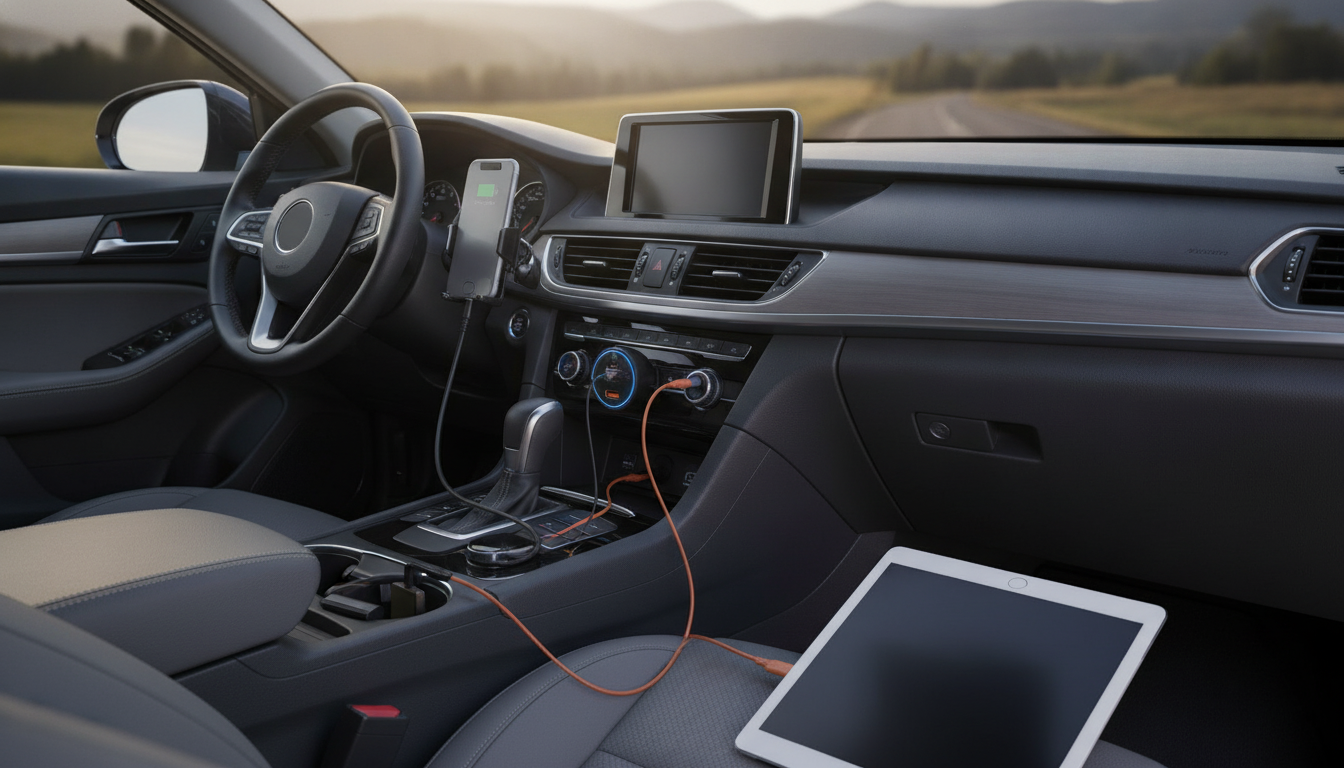
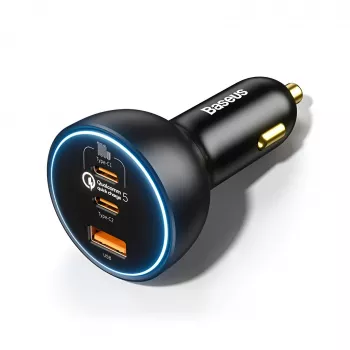
160W Triple-Port USB-C & USB-A Car Fast Charger (QC5.0 + PD) for Phones, Tablets, and Laptops
A high-output car charger can replace multiple adapters by powering a phone, a passenger’s device, and even a USB‑C laptop at the same time. This triple-port model combines USB‑C Power Delivery and Quick Charge fast-charging in a compact plug designed for daily commuting, road trips, and rideshare use.
What this 160W triple-port charger is built to do
- Deliver fast charging to modern USB‑C devices while still supporting USB‑A accessories.
- Handle multi-device charging without constantly swapping cables between driver and passengers.
- Provide a single in-car power hub for navigation + music + work devices on longer drives.
- Support common fast-charging standards used by Apple, Samsung, Google, and many USB‑C laptops (device and cable dependent).
If you want a straightforward upgrade from a low-watt, single-port adapter, the 160W Triple-Port USB-C & USB-A Car Fast Charger QC5.0 PD is designed to cover “driver + passenger + one more” without turning the cabin into a cable-swapping routine.
Ports and charging standards: USB‑C PD and USB‑A QC explained
- USB‑C PD (Power Delivery): negotiates voltage/current to charge phones, tablets, and many laptops more efficiently than basic 5V charging.
- Quick Charge (QC): a fast-charging family commonly used on USB‑A and some USB‑C implementations; helpful for many Android devices and accessories.
- Real-world speed depends on the device’s supported protocol, battery temperature, and the cable’s rating (especially for high wattage USB‑C).
- For best results with laptops and high-watt phones, use a USB‑C to USB‑C cable rated for the required wattage (e.g., 100W/5A e‑marked when applicable).
For a deeper look at how these charging handshakes work, see the official overview of USB Power Delivery (USB‑IF) and the Qualcomm Quick Charge overview.
How to get the fastest charge in the car (practical setup tips)
- Match the right port to the right device: reserve USB‑C for PD devices like iPhones (USB‑C to Lightning cable), newer Android flagships, iPads, and USB‑C laptops.
- Use quality cables: fast charging can fall back to slow mode if a cable lacks proper e‑marking or is damaged.
- Keep devices cool: charging speed often throttles when phones overheat on a dashboard mount in direct sunlight.
- If charging multiple devices, prioritize: plug the highest-demand device into USB‑C first, then add secondary devices to remaining ports.
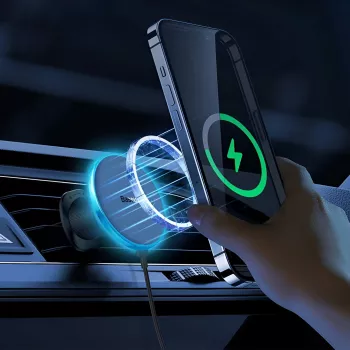
A clean setup can be as important as wattage. Pairing a fast charger with a stable mount reduces juggling and keeps your main phone easy to dock between stops. If you prefer a cable-free feel for the driver’s phone, consider the Magnetic 15W Wireless Car Charger & Phone Mount for iPhone 16–13 while leaving the USB‑C ports available for wired fast charging or a laptop.
Power sharing and multi-device charging expectations
- Total advertised wattage reflects the charger’s overall capability; individual port output can vary when multiple ports are used simultaneously.
- When more than one device is connected, many multi-port chargers dynamically distribute power to keep all devices charging safely.
- Laptops may charge slower (or maintain battery level) when sharing power with other devices, depending on laptop requirements and current battery load.
- For consistent performance on road trips, avoid running multiple high-draw devices at maximum load at the same time unless necessary.
Quick compatibility and use-case guide
| Device type | Best port to use | Cable to use | What to expect |
|---|---|---|---|
| iPhone (fast charge capable models) | USB‑C | USB‑C to Lightning (MFi-certified preferred) | Fast charging when using PD-capable cable |
| Android phone with fast charging | USB‑C or USB‑A | USB‑C to USB‑C or USB‑A to USB‑C | Fast charging if protocol matches (PD or QC) |
| Tablet / iPad with USB‑C | USB‑C | USB‑C to USB‑C | Strong charging speed for larger batteries |
| USB‑C laptop (travel/work) | USB‑C | USB‑C to USB‑C (high-watt rated) | May charge well alone; may slow when sharing power |
| Dashcam / older accessories | USB‑A | USB‑A cable | Stable power for continuous-use accessories |
Safety and durability features to look for in a high-watt car charger
When this charger makes the most sense
Pairing ideas for a cleaner car charging setup
Product snapshot: 160W Triple-Port USB‑C & USB‑A Car Fast Charger (QC5.0 + PD)
To upgrade your in-car charging in one step, see the full details for the 160W Triple-Port USB-C & USB-A Car Fast Charger QC5.0 PD.
FAQ
Can a 160W car charger safely charge a USB‑C laptop?
Many USB‑C laptops can charge via USB Power Delivery, but the result depends on the laptop’s required PD wattage/profile and using a high-watt USB‑C cable. If multiple devices are plugged in, the laptop may charge more slowly because power is shared across ports.
Why is my phone charging slowly even with a fast car charger?
Common causes include using the wrong cable, plugging into a port that doesn’t match your phone’s fast-charging protocol, device overheating, heavy background use, or a battery that’s already near full. When several devices charge at once, power sharing can also reduce the speed each device receives.
Is USB‑C always faster than USB‑A in the car?
USB‑C often enables higher power through PD, but charging speed still depends on what your phone supports and what the charger negotiates. Some phones can charge similarly on USB‑A when Quick Charge is supported, so the “fastest” port is the one that matches your device’s protocol and cable.








Leave a comment