Tri-Mode Ultra-Light Gaming Headset: 5.1 Surround Guide

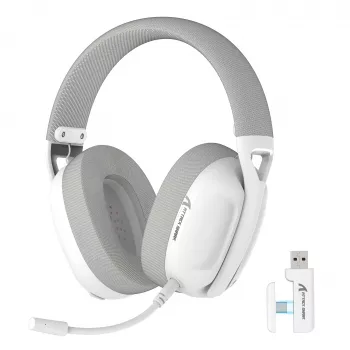
Ultra-Light Tri-Mode Gaming Headset with 5.1 Surround Sound
An ultra-light headset that supports three connection modes and delivers 5.1 surround sound can make long sessions more comfortable while improving directional awareness in competitive play. Tri-mode flexibility helps you move from desk to console to phone without juggling multiple headsets, while virtual surround processing can make footsteps and ability cues easier to place on busy maps. Below is a practical breakdown of what to expect from tri-mode switching, how virtual 5.1 behaves across genres, and what to check for comfort, mic clarity, and real-world battery/latency.
What “Tri-Mode” Means for Daily Gaming
“Tri-mode” typically refers to three ways to connect: a 2.4GHz wireless USB dongle, Bluetooth, and a wired connection (often 3.5mm or USB). The best mode depends on where you play and how sensitive you are to delay.
- 2.4GHz wireless dongle: Often the go-to for PC and many consoles when you want stable audio and low latency for ranked play.
- Bluetooth: Ideal for phones, tablets, handhelds, and casual listening—great convenience, but delay can vary by device and codec.
- Wired: The reliable fallback when the battery is low, or when you want the simplest, “just works” connection for chat and audio.
In day-to-day use, tri-mode shines in scenarios like low-latency competitive matches at your desk, casual couch play on a console, and quick mobile sessions on a phone. When shopping, look for switching behavior that feels seamless: quick toggles, device memory (so it reconnects without fuss), and clean handoff of both audio and mic when moving between devices.
Compatibility can vary by platform and mode, so a quick checklist helps:
- PC: Usually supported via dongle, Bluetooth, or wired.
- PlayStation: Often works via USB dongle or wired; Bluetooth support is limited on many consoles.
- Switch: Can work docked via USB and handheld via Bluetooth or wired (depending on the headset and settings).
- Mobile (phones/tablets): Bluetooth is most common; wired may require an adapter depending on your phone’s port.
5.1 Surround Sound: Positioning, Awareness, and Game Genres
On a headset, “5.1 surround sound” is usually virtual surround processing—software or onboard DSP that simulates multiple speaker channels through two drivers. When it’s tuned well, it can improve directional cues (front/back/side) for footsteps, reloads, and ability audio, especially in games with clean positional mixing.
Virtual 5.1 often shines in FPS and battle royale titles where quick reads matter, and it can also boost immersion in action RPGs and cinematic games by making spaces feel larger and effects more enveloping.
That said, there are limitations. Virtual surround depends heavily on the game’s audio mix, your ear shape, and the earcup seal—small fit changes can shift perceived direction. Some competitive players still prefer pure stereo for its consistent imaging and minimal processing.
For a smoother first setup, start with moderate surround strength, set your master volume to a comfortable baseline, and test using known in-game cues (footsteps on different materials, doors, reloads, and vertical movement like stairs or ziplines). If the sound feels “hollow” or smeared, reduce the effect and re-check your earcup seal.
| Mode | Strengths | Potential Downsides | Best For |
|---|---|---|---|
| Stereo | Clean imaging, minimal processing, consistent across games | Less “wrap-around” ambience | Competitive FPS players who prefer simplicity |
| Virtual 5.1 | More spacious soundstage, improved sense of direction in supported mixes | Can smear details if over-processed | Immersion, larger maps, positional awareness |
Ultra-Light Comfort: Fit, Clamp, and Long-Session Wear
Microphone and Chat Clarity
Battery, Charging, and Latency Expectations
For general listening safety, it’s worth keeping volume at sensible levels during long sessions; the World Health Organization’s hearing loss guidance offers practical context for protecting hearing over time.
Quick Specs Snapshot and What Each Spec Changes
| Feature | What to Expect | Why It Matters |
|---|---|---|
| Tri-mode connectivity | Wireless + Bluetooth + wired options (implementation varies by device/platform) | Lets one headset cover desk, console, and mobile use |
| 5.1 surround sound | Virtual surround processing for positional cues | Improves awareness in shooters and immersive titles |
| Ultra-light build | Reduced weight compared with many full-size gaming headsets | Less fatigue during long play and streaming |
| Gaming-focused mic | Boom mic tuned for voice clarity (varies by environment) | Clear callouts and better teamwork |
Recommended Gear (In Stock)
- Ultra-Light Tri-Mode Gaming Headset with 5.1 Surround Sound — $30.97
- Magnetic 15W Wireless Car Charger & Phone Mount for iPhone 16–13 — $34.01
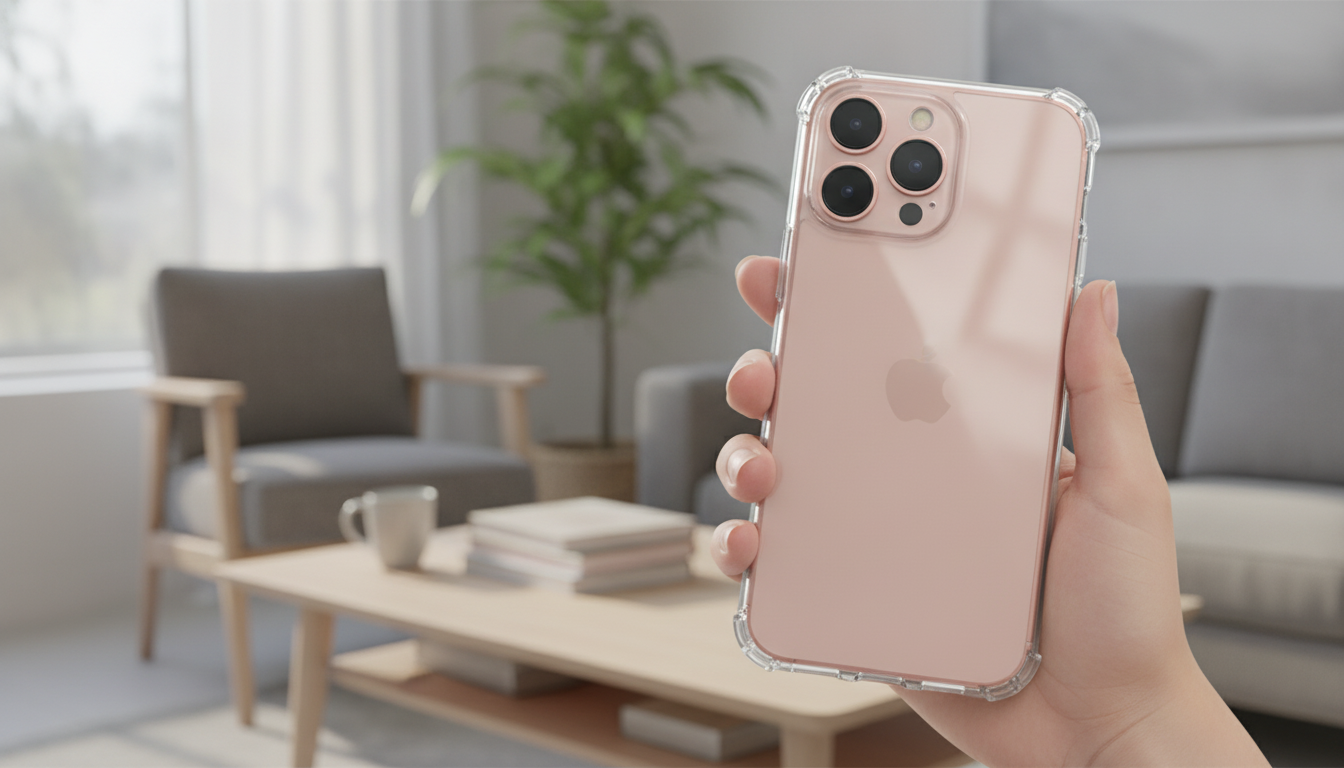
- Magnetic Clear Shockproof Case for iPhone 17 Pro & Pro Max — $10.97
Who This Headset Fits Best
For deeper perspective on how headphones are commonly evaluated (comfort, isolation, mic performance, and more), RTINGS’ headphones test methodology is a useful reference point when comparing models across price ranges.
FAQ
Does 5.1 surround sound work on every device and game?
Not always. On headsets, 5.1 is typically virtual processing, and results depend on platform support, the game’s audio mix, and whether surround is handled by the headset itself, a PC app, or console settings.
Which mode is best for competitive gaming: wireless, Bluetooth, or wired?
Low-latency 2.4GHz wireless (via dongle) or wired is usually best for competitive play. Bluetooth is convenient for mobile and casual use, but it can add delay depending on your device and codec.
How can comfort be improved during long sessions?
Adjust the headband so the earcups seal evenly, reposition pads to reduce pressure points (especially with glasses), and take short breaks to relieve clamp pressure. Keeping volume moderate also reduces fatigue, and an ultra-light headset helps minimize neck strain over time.








Leave a comment